
Debug Mode in Vidos Authorizer Tester: See Exactly What Happened
If your team is testing credential verification flows, Debug Mode is a practical upgrade to your existing process. You still run the same scenarios, but now with visibility into the full Tester-Authorizer exchange.
- Published on
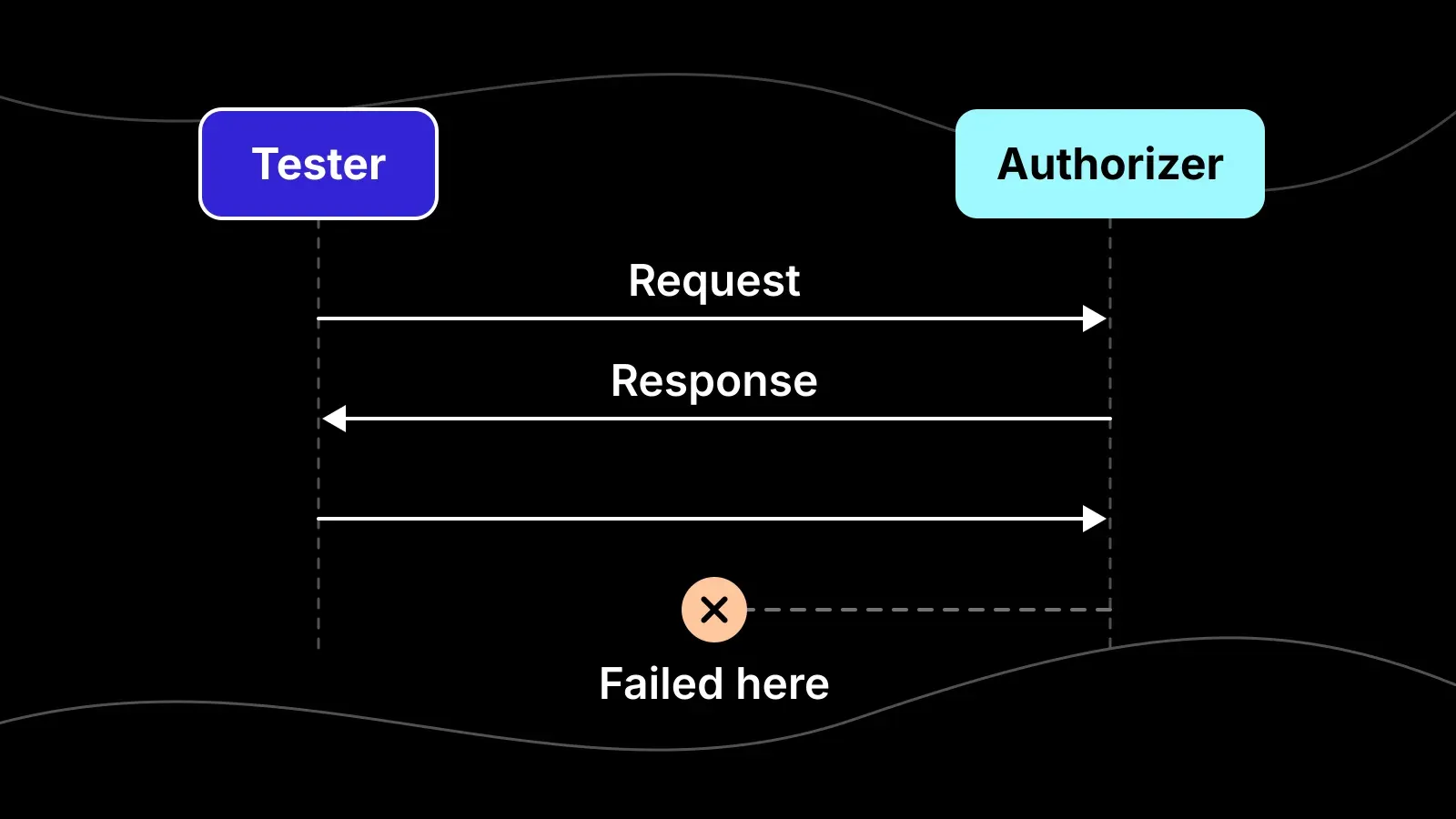
When a verification flow fails, teams usually get a final result but not enough context to explain why it failed. You know something went wrong, but not whether the issue came from request construction, endpoint behavior, policy setup, or wallet interaction.
That is exactly the problem Debug Mode in Vidos Authorizer Tester is designed to solve, it builds directly on the original release.
Debug Mode gives you a direct view of the request and response exchange between Tester and Authorizer, so you can move from guesswork to evidence-based troubleshooting.
What is new
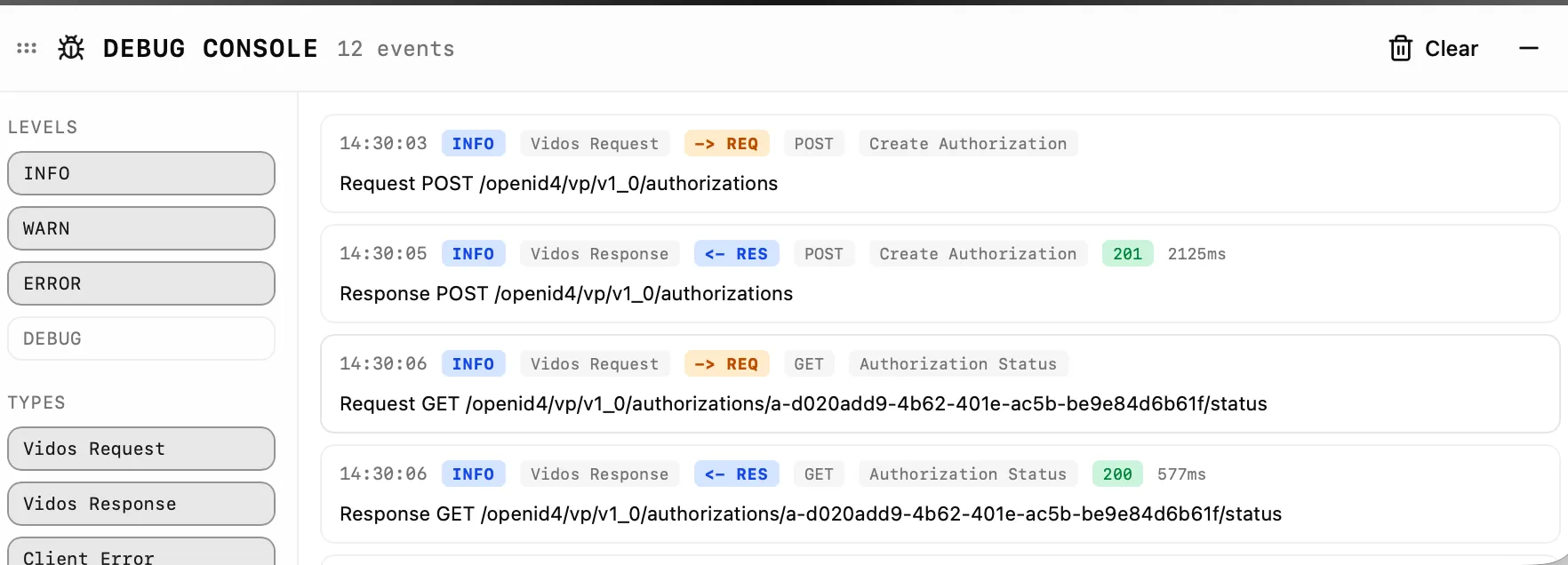
The new Debug Console adds a persistent, in-app view of protocol activity while you run your normal test flow.
As you create and complete authorisations, the console logs:
- Outbound requests from Tester to Authorizer
- Inbound responses from Authorizer back to Tester
- Event direction markers (
-> REQ,<- RES) - HTTP method, endpoint, operation, status code, and duration
- Client-side error events when request/response handling fails
Instead of reproducing the same issue across multiple tools and logs, you can inspect what happened in one place.
What you can see in Debug Mode
The debug panel is built for practical diagnosis during active testing:
- A live timeline of request and response events
- Filters by level (info, warn, error, debug)
- Filters by type (Vidos Request, Vidos Response, Client Error)
- Event details, including payload inspection in a JSON view
- Quick controls for clear, expand/collapse, resise, and drag
This makes it much easier to isolate the exact step where a flow diverges from expected behavior.
Why this matters for integration teams
In real delivery cycles, "authorisation failed" is not a useful endpoint. Teams need to know which request was sent, what came back, how long it took, and what the payload contained. Without that visibility, debugging becomes slow and fragmented.
Debug Mode shortens time-to-root-cause by giving frontend, backend, and identity engineers a shared source of truth for each test run. It also helps teams catch mismatches earlier, before they become late-stage release blockers.
A simple troubleshooting pattern
When a flow does not verify successfully, use this sequence:
- Re-run the scenario with Debug Mode open.
- Identify the relevant
-> REQevent and verify endpoint and payload shape. - Compare with the matching
<- RESevent for status and response details. - Check for client error events and timing anomalies.
- Adjust request configuration or authorisation setup, then re-test.
That loop is usually enough to turn an ambiguous failure into a concrete, actionable fix.
Try it in your next test cycle
If your team is testing credential verification flows, Debug Mode is a practical upgrade to your existing process. You still run the same scenarios, but now with visibility into the full Tester-Authorizer exchange.
Start here:
- Tester: https://authorizer.demo.vidos.id/
- Guide: https://vidos.id/docs/guides/services/authorizer/tester/
- Reference implementation: https://github.com/vidos-id/authorizer-demo
Use it first on a known failing flow. You will immediately see where the flow breaks, why it fails, and what to change next.
Talk to our team
Have a question or want to chat about how Vidos can help? Reach out to our team of real-world practitioners today.
Want to learn more?
Download our guide:
eIDAS 2.0 Use Cases
Explore how eIDAS 2.0 is transforming identity verification across key sectors like banking, healthcare, education, and travel. This practical guide highlights what the regulation means for real world services and how verifiable credentials can simplify, secure, and future proof digital interactions.
Download here